

📋 Table of Contents
- What is Google Stitch? (Powered by Flash 3)
- Why You Need ChatGPT + Claude Before Stitch
- Step 1 — Use ChatGPT to Draft Your Design Idea
- Step 2 — Use Claude AI to Refine, Structure & Add Color Intelligence
- Step 3 — Paste Into Google Stitch and Generate Your UI
- 💡 Interactive Multi-Screen UI Prototype Viewer
- Google Stitch Prompt Guide: Effective Prompting Principles
- Design System Concepts: Color Palette, Typography & Iterative Design
- From Stitch to Code: React Export, TailwindCSS & Beyond
- Tool Comparison: ChatGPT vs Claude vs Google Stitch
- Pro Tips: URL Extraction, Zoom-Out-Zoom-In, Vibe Design
- Frequently Asked Questions
- Conclusion
Introduction
The way we design websites is changing fast. Google Labs just released Google Stitch — a free, Flash 3-powered AI UI Generator that builds complete design systems and multi-screen prototypes from a single text prompt or a live URL. It's one of the most significant shifts in AI Web Design since Figma introduced auto-layout.
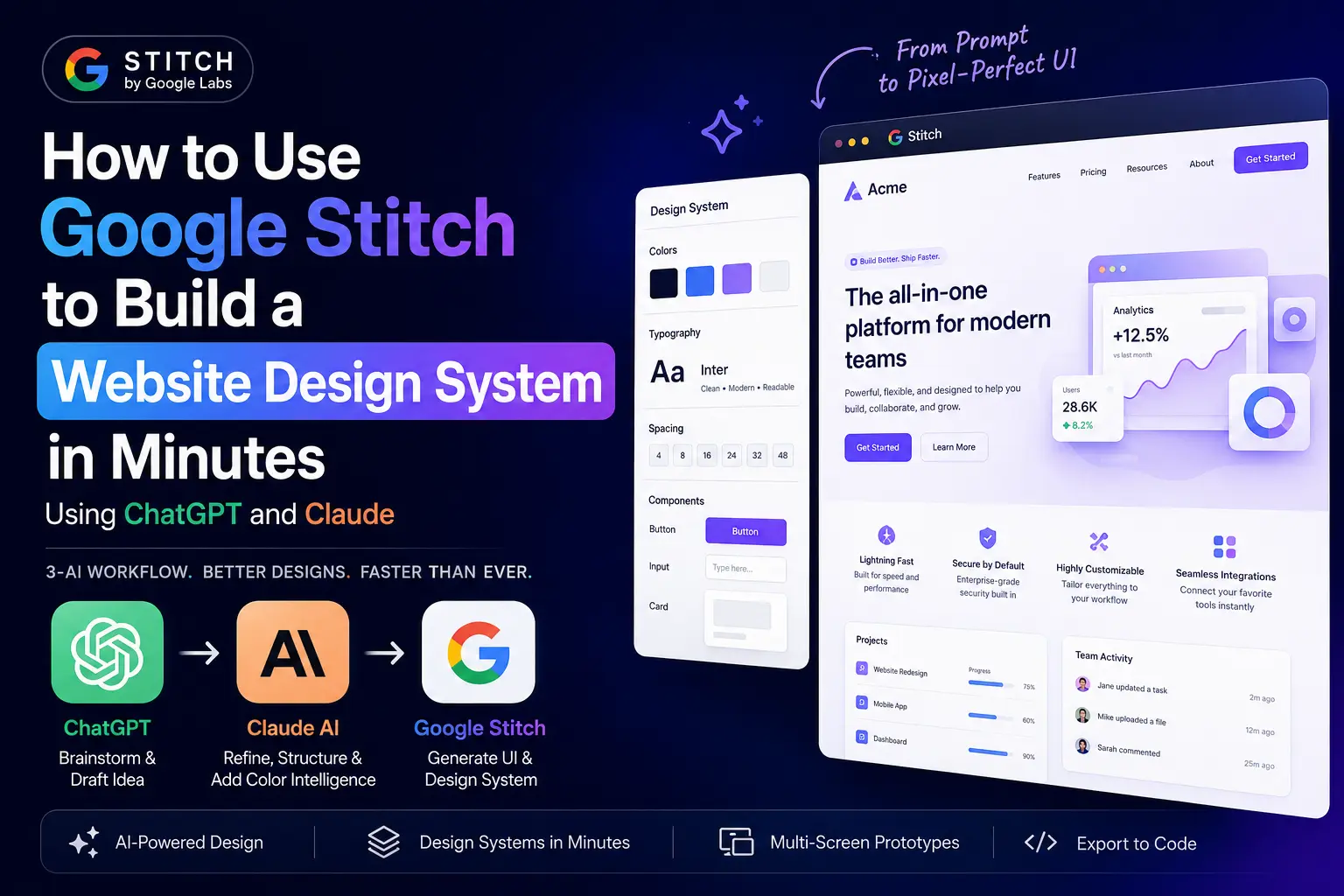
But here's the truth most tutorials skip: Google Stitch alone isn't enough. If you paste a weak, vague prompt, you get a generic, forgettable design. The real power comes from a structured AI Web Design Pipeline — using ChatGPT to brainstorm your design concept, Claude AI to refine the prompt with color intelligence and design token precision, and then Google Stitch to render the final UI Design.
This guide walks you through the complete 2-Tool Method (actually a 3-AI workflow), with reusable prompt templates, Effective Prompting principles from the official Google AI Forum Stitch Prompt Guide by Vincent_Nallatamby, and expert tips sourced from MindStudio, UX Planet, and the work of UI design writer Nick Babich.
Whether you're building a landing page for an educational service like BrightMind Tuition Classes, a SaaS dashboard, or a full App Design system, this tutorial gives you the step-by-step Web Design Tutorial you need.
What is Google Stitch? (Powered by Flash 3)
Google Stitch is a free AI UI Design tool from Google Labs — the same experimental division behind many of Google DeepMind's most innovative products. It's available at stitch.withgoogle.com and requires only a standard Google account to access. No API keys, no waitlist in most regions, and no cost during the Labs phase.
Under the hood, Stitch runs on Google Gemini — specifically Flash 3 (with experimental support for future models like Google 3 Pro highly anticipated) — one of Google's most capable Large Language Models. This is the same model family powering Google AI Studio, and it gives Stitch a deep understanding of design language, spatial reasoning, and visual composition.
Stitch was launched in May 2025 as part of a broader wave of Cloud AI design tooling from Google. It represents a fundamental shift in how Front-end Design is started: instead of building a Design System from scratch in Figma or hand-coding components, you describe what you want — or point at a website you admire — and Stitch generates the screens, design tokens, and component styles for you.
Three core capabilities define Google Stitch:
- URL-Based Design Extraction: Paste any publicly accessible URL and Stitch uses Flash 3 to analyze the rendered visual output: primary and secondary Color Palette, typography stack, spacing conventions, and component style. The whole extraction takes 15 to 45 seconds. This is what MindStudio describes as one of the most immediately useful features for teams working with an existing brand.
- Multi-Page Prototype Generation: Unlike single-screen mockup tools, Stitch generates coherent multi-screen flows with consistent design tokens across every page. You get a Mid-fidelity Mockup that's ready for developer handoff, not just a static poster.
- Code Export: When your design is ready, export it as React components or send the entire design to Google AI Studio for further AI-assisted development. This makes Stitch valuable not just for UI/UX designers but also for Web Development teams who want a functional starting point without building from zero.
Why You Need ChatGPT + Claude Before Stitch
Most people open Google Stitch and type something like: "A modern website for my startup." The output is fine. It's also completely generic. The problem is that Natural Language Inputs in AI design tools are only as good as the intent you put into them. "Modern" is not a design specification. Stitch doesn't know whether you mean the minimalist aesthetic of Vercel's homepage, the bold typographic style popular on GitHub project pages, or the vibrant card-based energy of a 21st.dev component library.
This is where Prompt Engineering comes in — and specifically, the structured 2-Tool Method that transforms vague intentions into precise design instructions before a single pixel is rendered.
ChatGPT is exceptional at structured brainstorming. Given your product context, target audience, and rough aesthetic direction, it can generate a comprehensive design brief that covers layout preferences, feature priorities, user flow, and visual tone. It's also capable of analyzing reference screenshots with its vision capability.
Claude AI — built by Anthropic — excels at a different task: refinement. Claude takes the ChatGPT draft and upgrades it with design-system precision. It replaces vague color descriptions with specific hex codes, adds typography specifications with font weights and line-heights, clarifies spacing and border-radius values, and ensures the final prompt language aligns with your brand personality. Claude's output is notably more technically precise than ChatGPT's for design-adjacent tasks, making it the ideal bridge between ideation and execution.
Google Stitch then receives a prompt that is structured, specific, and brand-aware — and the output reflects that quality difference dramatically.
Step 1 — Use ChatGPT to Draft Your Design Idea
Open ChatGPT and your goal is to transform your rough product idea into a structured design brief. Using ChatGPT as a Prompt Generator sets the creative foundation that Claude will later refine and Stitch will render.
What to tell ChatGPT: Start by defining your product name, its category (SaaS, portfolio, e-commerce, blog, landing page), and who uses it. Then describe your mood and aesthetic direction — "clean and professional", "bold and energetic", "dark and premium", "playful and colorful". Specify which pages you need — landing page, pricing, dashboard, blog, contact — because this shapes the multi-page prototype Stitch will generate. If you have reference screenshots of designs you admire, attach them. ChatGPT's vision capability can extract style signals from images and incorporate them into the brief.
The key instruction at the end — asking for a single paragraph output — is important. Google Stitch handles flowing conversational prompts better than structured bullet lists for initial generation, as noted in the official Stitch Prompt Guide by Vincent_Nallatamby.
Step 2 — Use Claude AI to Refine, Structure & Add Color Intelligence
You now have a design brief from ChatGPT. It's a useful starting point — but it's likely using vague color descriptions, missing design token specifics, and possibly suggesting a palette that doesn't authentically match your brand personality. This is where Claude AI by Anthropic becomes essential.
Claude is built differently from OpenAI's ChatGPT for this task. Its language is more precise, it excels at multi-constraint reasoning, and it has a strong understanding of how color psychology relates to brand perception. When you ask Claude to "use better colors that match the website personality," it doesn't just pick something nice-looking — it reasons about why a specific palette works for your product's audience and purpose.
What Claude should fix in your ChatGPT draft:
- Color Palette specifics: "Dark blue, professional" becomes "deep indigo #4f46e5 as primary, slate-50 #f8fafc as background, electric cyan #0ea5e9 as accent — a palette that communicates technical authority without coldness."
- Typography clarity: "Modern sans-serif" becomes "Inter weight 400/600/800, 16px base, 1.65 line-height, Sora for display headings — a combination that reads well across all breakpoints."
- Spacing and layout: "Clean layout" becomes "12-column grid, 80px vertical section padding, 24px card padding, 14px border-radius on cards, 40px border-radius on CTA buttons."
- Accessibility: Claude naturally incorporates WCAG 2.1 contrast considerations into color selections, ensuring your palette meets AA accessibility standards without you having to ask.
- Component descriptions: Adds specific UI element descriptions: hero section with gradient overlay, feature cards in 3-column grid, pricing table with highlighted recommended tier, testimonial carousel.
Step 3 — Paste Into Google Stitch and Generate Your UI
Open stitch.withgoogle.com, sign in with your Google account, and create a new project.
Generating your first screen: Paste the full paragraph from Claude into Stitch's prompt field. Do not shorten it. Flash 3 handles long, detailed Natural Language Inputs very well — specificity is directly rewarded in output quality. If you have 1–3 reference screenshots, attach them. Stitch can analyze visual style alongside your text prompt, combining both signals for more accurate output. Hit generate. Stitch typically renders the first screen in 15–45 seconds.
Building a multi-page prototype: After your first screen, click "Add Screen" in the project view and describe each new page in one or two sentences. Stitch maintains your design tokens automatically across all screens, so your dashboard, pricing page, and contact form will all share the same visual language. This is the Iterative Design workflow that makes Stitch genuinely useful for Prototyping rather than just producing pretty mockups.
💡 Interactive Multi-Screen UI Prototype Viewer
This is a live, high-fidelity mockup system built using the design system generated by the Claude + Google Stitch pipeline. Toggle between the tabs to see the consistent brand styling (colors, typography, cards, elements) across different pages of the Scoobies Stationery & Toy Store mockup.
Loading Screen Preview...
Google Stitch Prompt Guide: Effective Prompting Principles
The official Stitch Prompt Guide on the Google AI Forum by Vincent_Nallatamby outlines key principles for achieving excellent designs:
- High-Level vs Detailed Prompts: For complex apps, start high-level to define the core system, then drill down screen by screen. For specific, layout-heavy designs, pack all coordinates, alignments, and parameters upfront.
- Set the Vibe with Adjectives: Adjectives directly influence Stitch's choices for colors, fonts, and imagery. "Vibrant and encouraging" produces warm palettes, friendly squircle elements, and bouncy typography. "Minimalist and focused" defaults to high-contrast monochrome and geometric typefaces. "Dark and premium" invokes deep metallic gradients and elevated shadows. This emotional alignment is known as Vibe Design.
- Refine Incrementally: Stitch performs best when you provide small, targeted, consecutive feedback loops. Instead of changing everything at once, say: "Increase CTA button size by 15% and make it background Hot Pink #FF4DAD" or "Add a dark mode toggle to the header."
- Describe Images Explicitly: Guide the image placeholder generation by describing subject, style, lighting, and angles (e.g., "overhead stationery flat lay, pastel pink background, soft natural lighting").
Design System Concepts: Color Palette, Typography & Iterative Design
Understanding UI/UX design system fundamentals will make you a significantly better Stitch user. Here's what matters most:
Color Palette
A strong Color Palette for a web Design System typically includes a primary color (brand identity, CTAs), a secondary or accent color (highlights, badges, links), a neutral background (surface and page background), text colors at two levels (primary text and muted/secondary text), and a border color. When instructing Claude to generate colors, ask for all five. The result is a complete palette that Stitch can apply consistently.
For WCAG 2.1 compliance — the web accessibility standard — your text on backgrounds must achieve a minimum 4.5:1 contrast ratio for normal text. Claude can validate this if you ask it to check contrast ratios when selecting colors.
Typography
Typography choice carries more brand personality than most people realize. Serif fonts (like Playfair Display) convey tradition and authority. Humanist sans-serifs (like Inter or Google Fonts' DM Sans) convey approachability and modernity. Geometric sans-serifs (like Sora or Space Grotesk) convey technical precision. Monospace fonts (like Fira Code) signal developer-facing products. Tell Claude which personality your brand needs, and let it suggest the right typeface rather than defaulting to "sans-serif".
Iterative Design and the Zoom-Out-Zoom-In Method
The Zoom-Out-Zoom-In technique — popular in advanced Stitch workflows — means starting with a high-level full-page composition ("zoom out") to validate the overall layout and hierarchy, then drilling into individual components ("zoom in") to refine details like button styles, card layouts, and form treatments. This two-phase approach mirrors how professional UI/UX designers work and produces more coherent results than trying to perfect everything in a single prompt. Once the general layout is locked, tasks like final asset generation, vector styling, and Image Editing can be refined in traditional editing software or using AI tools.
From Stitch to Code: React Export, TailwindCSS & Beyond
Google Stitch isn't just a design tool — it's a Code Generation starting point. Here's how to move from a Stitch prototype to a live website:
- React Export: Stitch's React export generates functional component code that you can open in your editor directly. The components use standard HTML, CSS, and JavaScript patterns, making them compatible with any React-based framework. Host on Vercel for instant deployment — Vercel's integration with GitHub makes the push-to-deploy workflow seamless for projects starting from Stitch exports.
- TailwindCSS Integration: While Stitch's native export uses inline styles and CSS modules, the design tokens it generates map cleanly to TailwindCSS utility classes. A border-radius of 14px maps to `rounded-xl`. A shadow value of 0 4px 16px `rgba(0,0,0,0.07)` maps to `shadow-md`. Converting Stitch output to Tailwind takes less time than building the design system from scratch, and the result is a maintainable, scalable codebase.
- DESIGN.md for Documentation: Once you have your design system extracted or created in Stitch, document it in a `DESIGN.md` file in your project repository. List your color tokens, typography scale, spacing units, and component guidelines. This becomes the single source of truth for anyone contributing to the project — human or AI. Tools like Claude AI and 21st.dev can read a `DESIGN.md` and generate new components that match your existing system automatically.
- Google AI Studio for Continued Development: Send your Stitch design directly to Google AI Studio to continue building with Gemini assistance. AI Studio understands the design context and can help you generate page variants, write component logic, or create content that matches your design's tone.
- Expert Developer Handoff: When translating complex Stitch prototypes to production-grade applications, partnering with an experienced AI Web Developer ensures advanced state management and secure backends are implemented seamlessly. For additional insights on prompt engineering, custom components, and deployment pipelines, read more developer logs in my Technical Journals.
Tool Comparison: ChatGPT vs Claude vs Google Stitch
Each AI tool plays a highly distinct role in a modern design workflow. The table below outlines their individual capabilities:
| Capability | ChatGPT (OpenAI) | Claude AI (Anthropic) | Google Stitch (Google Labs) |
|---|---|---|---|
| Design Concept Brainstorming | Excellent | Good | Not its role |
| Prompt Refinement & Structure | Average | Best | Not its role |
| Color Theory & Palette Matching | Basic | Excellent | Responds to instructions |
| WCAG 2.1 Accessibility Check | Limited | Strong | Not native |
| UI Screen Generation | No | No | Core feature |
| Design System from URL | No | No | Yes (15-45s) |
| Multi-Page Prototype | No | No | Yes |
| Mid-fidelity Mockup Output | No | No | Yes |
| React Export | No | No | Yes |
| Reference Image Analysis | Yes (Vision) | Yes (Vision) | Yes (Attachment) |
| Free Access | Limited free tier | Limited free tier | Free (Labs phase) |
| Best For | Initial ideation & brief | Design tokens & refinement | Visual generation & code |
Pro Tips: URL Extraction, Zoom-Out-Zoom-In, Vibe Design
Use URL Extraction for Competitive Research: Paste a competitor's live website URL into Stitch to extract their color palettes and styling in under 45 seconds, then use Claude to modify and differentiate them for your own brand.
Apply Vibe Design Principles: Describe sensory and emotional environments rather than hex codes alone (e.g., "a corporate website that feels like a quiet forest morning: clean, organic, and serene"). Flash 3 translates these tones beautifully.
Always Specify Device Target: Inform Stitch explicitly if you are building mobile-first (e.g., "390px viewport, touch-friendly tap targets, bottom navigation bar") or desktop (1440px viewport, sidebars), otherwise it defaults to desktop layout.
Save Your Claude Prompts: Once a prompt produces a consistent premium aesthetic, save it in a `DESIGN.md` file in your repository. It will act as a prompt library that you and your AI agents can reuse for new pages.
Pair Stitch with Figma: Use Google Stitch for rapid prototyping and setting overall stylistic direction, then export components to Figma when pixel-perfect animations or micro-interactions are required for final production.
Frequently Asked Questions
Conclusion
The ChatGPT → Claude AI → Google Stitch pipeline is one of the most powerful AI Web Design workflows available today. Each tool plays a precise role: ChatGPT by OpenAI gives you creative structure, Claude AI by Anthropic gives you design-system precision and color intelligence, and Google Stitch — powered by Flash 3 from Google DeepMind — handles the visual execution.
The central insight is this: Google Stitch is only as powerful as the prompt you bring to it. The 2-Tool Method of preparing and refining your prompt through two Large Language Models before rendering eliminates the biggest failure point in AI UI Design — generic, brand-mismatched output.
Whether you're a developer exploring AI Web Development, a designer transitioning into Prompt Engineering, or a founder who needs a landing page without hiring a designer, this workflow delivers professional-grade UI/UX results in a fraction of the traditional time.
Start at stitch.withgoogle.com. Use the Stitch Prompt Guide on the Google AI Forum. Read the full MindStudio walkthrough at mindstudio.ai. And follow writers like Nick Babich on UX Planet for ongoing UI Design coverage as Google continues evolving this toolset.