
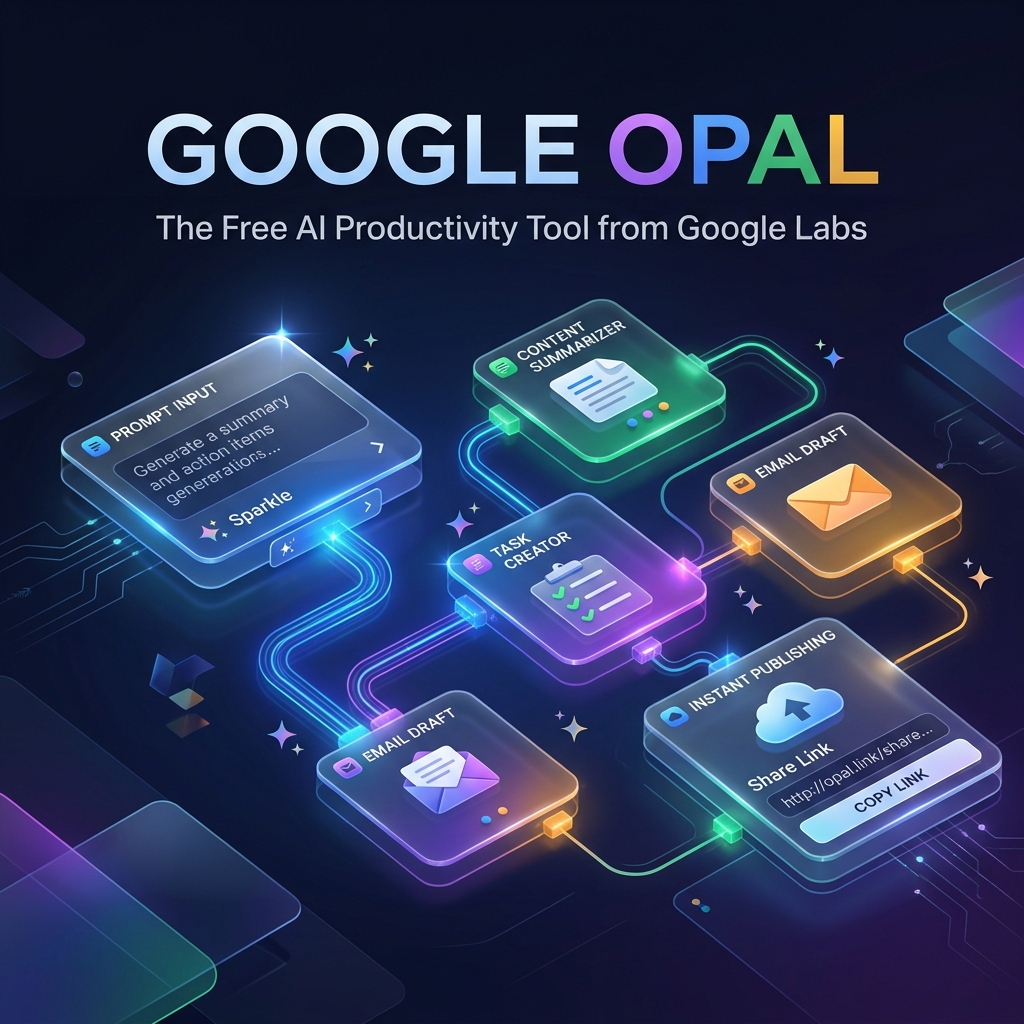
bolt Executive Summary: Why Google Opal Matters in 2026
- ✓ True No-Code Builder: Type what you need in plain English. Opal generates prompt chaining, node logic, and hosting automatically.
- ✓ 100% Free Public Beta: Available in 160+ countries under Google Labs with zero infrastructure or server costs.
- ✓ Autonomous Agent Mode: Powered by Gemini 3 Flash, the agent decides which tools to invoke and sequences complex tasks automatically.
- ✓ Instant Shareable URLs: Unlike chatbot conversations, Opal produces permanent mini-apps you can share with your team or clients with one click.
Build AI Mini-Apps Without Writing a Single Line of Code
Google Opal is one of the best free AI productivity tools in 2026, and it is the flagship builder from Google Labs that lets non-developers ship working AI apps in minutes.
If you have ever wished you could automate a repetitive task without learning Python, hiring an expensive software contractor, or paying for another monthly SaaS subscription, Opal was built for you. You type what you want in plain English. Opal assembles the prompts, model calls, and tool connections into a working mini-app, hosts it for you on Google's cloud infrastructure, and gives you a shareable link.
In this comprehensive guide, you will learn what Google Opal is, how it fits into the current wave of AI productivity tools, who should use it, what it costs, and how to go from beginner to building production-grade autonomous workflows.
1 What Is Google Opal? Google's No-Code AI App Builder, Explained
Google Opal is an AI application builder residing inside Google Labs. Think of it as an interactive visual canvas where you describe an application in natural language, and Opal automatically structures the prompts, model inferences, and tool connectors into a functioning web mini-app.
The end result is an immediately shareable application you can publish with a single click. No servers. No deployment pipelines. No code. In Google's own words, Opals are AI mini-apps anyone can build, edit, and share.
1. Powerful
Opal makes it effortless to create multi-step flows that chain prompts, model calls, and external tools together in a clean visual pipeline.
2. No Code
Simply type what you want to make in plain English. Opal creates an editable workflow canvas and compiles it into a mini-app in minutes.
3. Instantly Usable
Opal handles all the cloud hosting behind the scenes. No web servers or databases required—publish and share your live URL instantly.
2 Why Google Opal Fits Among the Best AI Productivity Tools of 2026
The AI productivity tools landscape in 2026 has a glaring problem: subscription fatigue. The average knowledge worker pays for 4 to 7 different AI subscriptions, and most of them overlap in capability.
Google Opal adopts a radically different philosophy. Instead of acting as another tool you subscribe to, it functions as a builder that enables you to create your own custom AI workflow automation tools, tailored to your exact operational requirements, completely free.
This is part of a broader paradigm shift tech commentators call the personal software revolution — non-developers writing bespoke micro-apps instead of buying commoditized SaaS. Opal represents Google's flagship entry point for this movement, operating alongside vibe coding tools like Lovable, Bolt, and Cursor.
3 How Does Google Opal Work? Visual Canvas & Agent Mode
Opal operates on an elegant three-part paradigm: Input → AI Processing → Output.
You define the starting trigger (such as a search query, raw text, or a list of items). Opal channels it through one or more AI nodes (specialized prompts, model invocations, tool integrations). It then formats the result into structured outputs (JSON tables, formatted markdown, or interactive cards) ready for export.
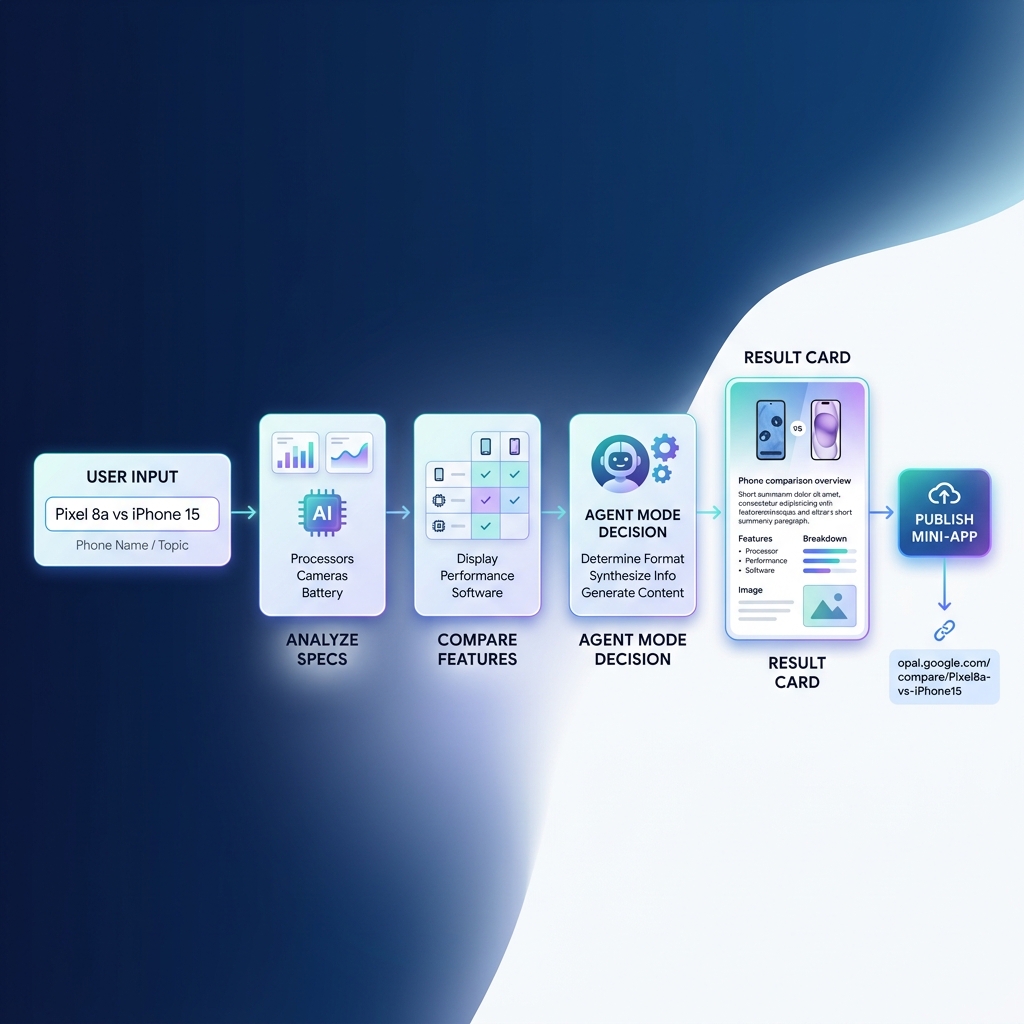
smart_toy The Agent Mode Update (Feb 2026)
In February 2026, Google introduced an Agent Mode step into Opal that enables truly autonomous workflows. Instead of manually connecting every single prompt step, you describe the overarching goal. The agentic core autonomously decides which tools to invoke, in what sequence, and when the final condition is met.
4 How to Use Google Opal: Step-by-Step Tutorial
Follow this quick 5-step tutorial to take an idea from a blank canvas to a published AI mini-app in under 10 minutes:
Sign in to Google Labs
Navigate to labs.google.com/opal with your Google credentials.
Describe Your App in Plain English
In the primary prompt dialog, type one or two descriptive sentences outlining the desired functionality and expected inputs.
Build an AI mini-app that accepts a product name and industry category.
Process the input to output:
1. Three high-converting punchy taglines (under 10 words each)
2. An engaging LinkedIn social media caption with hashtags
3. A 100-word concise product description formatted in markdown.Edit the Visual Workflow
Click into any node to rewrite system prompts, swap models, connect tools (Google Search, calculator, image generators), or insert conditional branches.
Test the App Live
Click the Run button to execute the workflow with real test data and visualize outputs at every step.
Publish and Share
Click Publish. Opal generates a public URL you can share with your team, client, or embed into an existing website.
5 What Can You Build With Google Opal?
widgets Popular AI Mini-Apps
- ✨ Prompt Enhancer: Turn vague ideas into structured prompts
- 📚 Personal Study Coach: Generate interactive quizzes and flashcards
- ✉️ Email Drafter: Custom client replies matching specific brand voices
- 📝 Executive Summarizer: Digest lengthy PDFs and research notes
- 📱 Caption Generator: Multi-platform social copy with character constraints
account_tree Multi-Step AI Workflows
- 🔍 Automated SEO Audit: Keyword extraction & competitive analysis
- 📄 Resume Analyzer: Score CVs against job criteria and highlight gaps
- ⚖️ Product Comparison Engine: Fetch specs, analyze pros/cons, score value
- 📊 Business Intelligence Synthesizer: Generate monthly executive reports
- 🤖 Custom Domain Support Bot: Route user inquiries through tailored logic
6 A 4-Level Roadmap to Mastering Google Opal
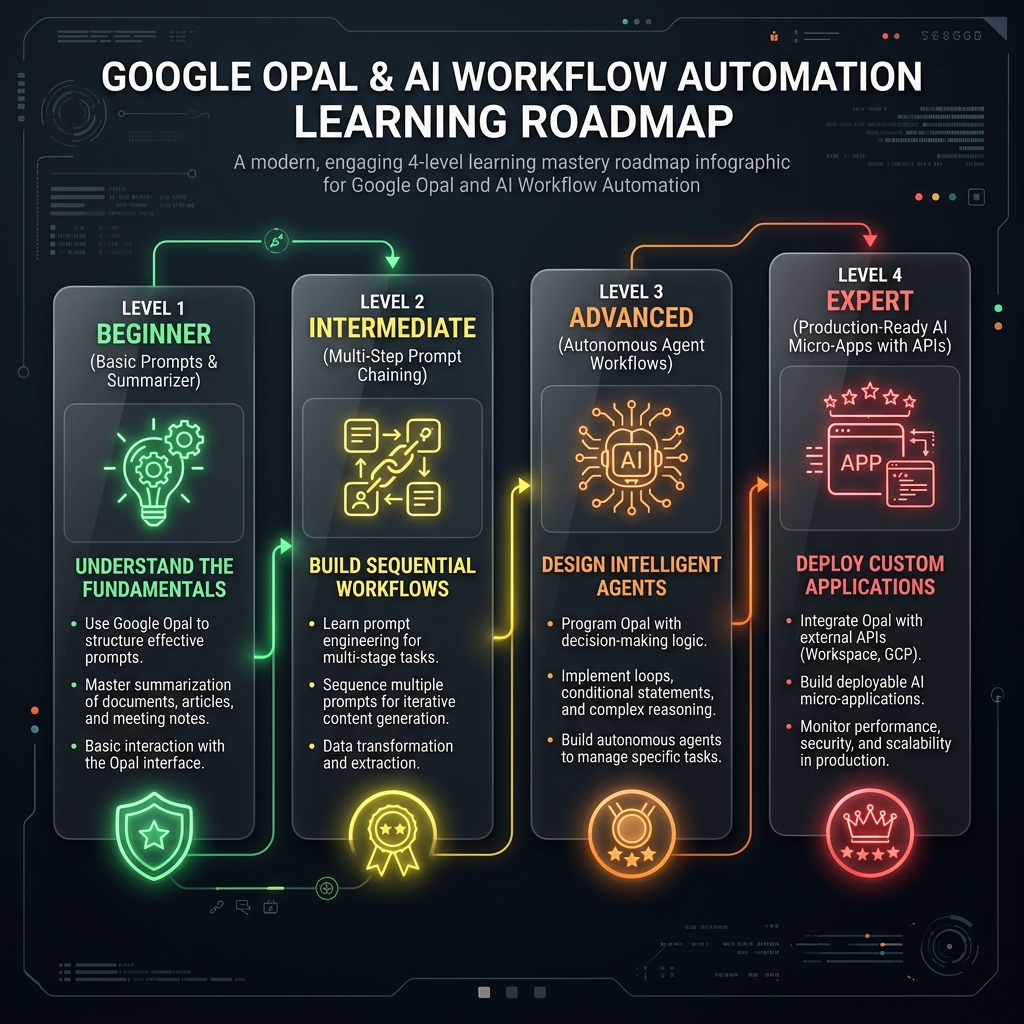
| Stage | Core Skill | Project to Build | Estimated Build Time |
|---|---|---|---|
| Stage 1 | Basic Prompts & Input Binding | AI Caption Generator | 3 Minutes |
| Stage 2 | AI Step Sequencing | Document Summarizer | 5 Minutes |
| Stage 3 | Prompt Chaining | Quiz & Flashcard App | 15 Minutes |
| Stage 4 | Logic & Branching | Resume & Skill Matcher | 30 Minutes |
| Stage 5 | Agent Mode Decision Logic | Product Comparison Assistant | 45 Minutes |
| Stage 6 | External Tools & Data | Automated SEO Keyword Audit | 1 Hour |
| Stage 7 | Production Hardening & Polish | Client-Ready Research Engine | 1.5 Hours |
7 How I Use Google Opal for SEO Automation & Keyword Research
As an AI developer and digital marketer, finding trending long-tail keywords used to eat hours every week. I configured an Opal workflow that handles the heavy lifting:
- Seed Ingestion: Input a primary topic (e.g., "AI web development").
- Semantic Expansion: Opal expands seed terms into 20 long-tail query variations using search intent clustering.
- Competitive Scoring: The Agent node evaluates intent, difficulty tier, and suggested article formats.
- Export Pipeline: Outputs a structured markdown table formatted for direct import into our content calendar.
8 Google Opal vs. Other No-Code AI Builders
| Tool | Best For | Code Requirement | Key Strength vs Opal |
|---|---|---|---|
| Google Opal | AI mini-apps & multi-prompt workflows | Zero Code | Free Google Labs hosting & Agent Mode |
| Zapier AI | SaaS-to-SaaS app triggers & integrations | No-Code | 6,000+ third-party app connectors |
| Make (Integromat) | Complex enterprise data pipelines | Low-Code | Granular JSON manipulation and routers |
| n8n | Self-hosted workflow automation | Technical / Low-Code | Open-source with full data privacy control |
| Lovable / Bolt.new | Full-stack React web applications | Vibe Coding / Natural Lang | Generates complete frontend/backend codebases |
| Bubble / Glide | Custom database-driven web apps | No-Code Visual | Relational databases and custom auth systems |
9 Pros and Cons of Google Opal
check_circle Key Advantages
- ✓ 100% Free: No credit cards, token fees, or hidden hosting costs.
- ✓ Zero Server Setup: Instant deployment with permanent shareable links.
- ✓ Visual Node Canvas: Highly intuitive interface for tuning prompt chains.
- ✓ Agent Mode Autonomy: Intelligent multi-tool execution powered by Gemini.
- ✓ Great Learning Sandbox: Perfect for understanding agentic architectures.
cancel Current Limitations
- ✗ Beta Lifespan: Google has not finalized long-term enterprise pricing.
- ✗ Smaller Ecosystem: Fewer native third-party SaaS integrations than Zapier.
- ✗ No Public API: Cannot programmatically trigger Opal apps from external servers.
- ✗ Prompt Sensitivity: Complex edge-case workflows require careful prompt constraints.
10 Frequently Asked Questions
Final Verdict: Should You Use Google Opal?
If you want to understand how agentic workflows actually operate and ship working tools in minutes without technical overhead, Google Opal is absolutely worth your time. The zero price tag removes the friction, and Agent Mode makes complex tasks effortless.